
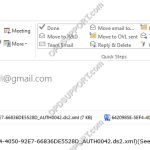
When dictations or documents are sent via E-mail or FTP through the Olympus software, you may notice the files have an obscure file name as shown below. This is due to the management file being sent alongside the dictation file. The management files are typically used with the Olympus software to display additional dictation information. […]
Webmaster
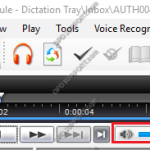
Can’t hear the dictation
If you are experiencing issues with not being able to hear the dictations in the software, then we would recommend checking the following as it may be a simple fix which can be corrected. + – 1. Check the volume Click to collapse Make sure the audio is not on low volume, muted or disconnected. […]
How to change the USB class on the OM SYSTEM/Olympus Digital Voice Recorder.
This article details how to change between Composite & Storage USB mode. The Olympus DS-range recorders can recognise in Composite mode or Storage mode when connected to the computer. Composite mode will mount the recorder to the computer as recording, playback and a storage device. This mode allows you to use the recorder as a […]
Automatically Receive Dictation via Email or FTP
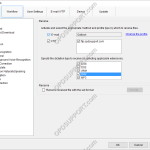
When files are sent to a typist by email or FTP , the files will arrive at their email inbox or the FTP server. In order for the files to be imported into the Transcription Module automatically, the Dictation Receive function must be enabled. Note: This function requires a working email/FTP profile to be configured […]
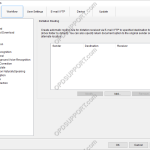
Dictation routing received via Email/FTP
Dictations received via E-mail/FTP can be routed to particular folders to help manage your files. You can also setup a document return function, to automatically send the document to the sender once transcription is completed. Please note, for this function to work you must have the ODMS software setup with either E-mail or FTP in […]
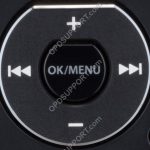
Reset Device Settings
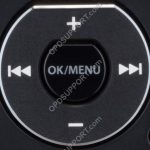
This guide will take you through how to reset your device settings on the recorder. + – DS-9500 / DS-9100 / DS-9000 / DS-2700 / DS-2600 Click to collapse The image below shows the buttons that you will use to navigate through the menu. Press the “OK/Menu” button to open the menu. Use the […]
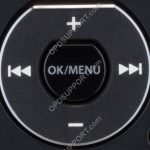
Formatting the Memory Card
This guide will take you through how to format the memory card on the device Note: Formatting the memory card will clear all the files on the recorder + – DS-9500/DS-9000 Click to collapse The below image is what you will use to navigate the menu Press “OK/Menu” to open the Menu. Press “–” to […]
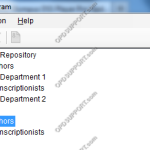
Migrating Users and Groups from R5 to ODMS
If you have upgraded your R5 workgroup set up to an ODMS workgroup set up then you will be able to migrate the R5 profiles and groups to the ODMS repository. So they will get the ODMS settings so it saves you time from having to recreate them. If you haven’t created an ODMS repository […]
Enabling and installing Software/Firmware updates for ODMS users
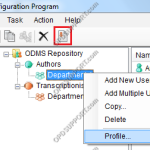
This guide will explain how to deploy software and firmware updates to your users in the SCP. + – Software/Firmware Management Check Click to collapse To configure the users to receive software/firmware updates: Select a group, then click into the Profile. Go to User Management > Software update. Select “Access the repository to check for […]
Document Templates
This guide details how to add and associate document templates to dictations. Adding a Document Template Document templates can be used to speed up the dictation and document workflow. ODMS Real-time voice recognition supports RTF templates so that it is possible to dictate straight into a custom template and then export to another format e.g. […]