
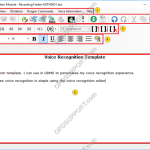
This article goes through how to use Real-time Voice Recognition within ODMS. Note: You must have a Dragon Profile configured with ODMS for this to work please follow the guide here on configuring the Dragon NaturallySpeaking settings. Real-time Voice Recognition settings can be configured please follow the guide here. The Real-time Voice Recognition feature is […]
Webmaster
How to use Text Correction
How to use text correction in ODMS. Text Correction in ODMS will ensure Dragon continues to learn how you pronounce words and phrases. Using text correction in ODMS will ensure changes made to the recognised text are updated in the Dragon profile, improving the accuracy. Note: Dragon doesn’t have to be installed when doing text […]
Voice Recognition General Settings
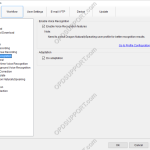
This guide goes through how to configure the General settings such as enabling the voice recognition features. Open the software then click on Tools > Options > Workflow > General Enable Voice Recognition Features: Tick the box “Enable Voice Recognition Features” this will allow you to configure and use the voice recognition functions within the […]
How to use Filters
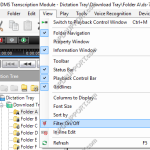
This article will go through how to use the filter feature in ODMS. Filters are useful if you are managing multiple files within a folder as it helps narrow down the list making it easier to see the files you are working on. To switch on the Filter feature click on the View tab at […]
Configuring Author ID (SR2)
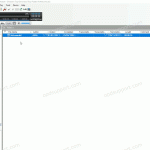
This article will take you through how to configure an Author ID in the Standard Release 2 Dictation Module. Click on Tools -> Options -> Device In the Author ID box type in the author name Click Update -> Only this page Click OK to the device setting update prompt.
How to blacklist an Outlook folder to not be scanned
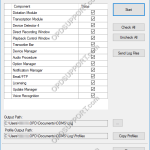
With ODMS 6.4.0 Patch 5 up to Patch 16 installed you can specify which Outlook folder to be blacklisted so it doesn’t get scanned by the Olympus software. You can download the latest patch from the downloads below. Please note this article goes through modifying the registry we would recommend backing up the registry before making […]
Recorder not recognising in DSS Player for Mac
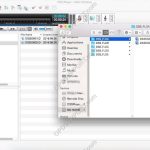
This is a technical guide and you should follow the advice of a technical professional before following it. You may make irreversible changes to your system by following this guide. If you have already updated the software and the recorder isn’t recognized in the software; but is recognized on the Mac for you to drag […]
How to clear the Olympus profile on a Mac
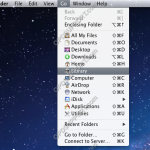
This article goes through how to clear the Olympus profile on a Mac. Please note clearing the Olympus profile will reset the software settings. Close the software down. Click on Go, hold down the Option key and then click Library. Open the Preferences folder and rename the “com.Olympus.DSSPlayerV7.plist” file to “com.Olympus.DSSPlayerV7.plist.old”. Open the software again […]
Error 1311 during the installation
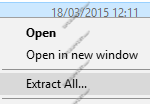
When installing the software you may get the error message “Error 1311 Source file not found: [drive]:[product name][product version]data1.cab. Verify that the file exists and that you can access it.” The error normally occurs if you have downloaded the software but haven’t extracted the folder. Locate the software download which you should see a zip […]
DSS Player for Mac could not start
If you get an error message about the DSS Player for Mac software could not start due to a problem then follow the steps below. Launch Terminal program from Finder-> Application-> Utility In terminal console, please enter the following command. (Required Administrator authority) sudo cp “/Library/Application Support/Olympus/DSSPlayer/lib/DSSAES.dylib” /usr/local/lib sudo cp “/Library/Application Support/Olympus/DSSPlayer/lib/LongPlay.dylib” /usr/local/lib sudo cp […]