
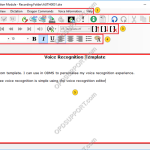
This article details the Real-time voice recognition overview explaining what each section and button does. Note: You must have a Dragon Profile configured with ODMS for this to work please follow the guide here on configuring the Dragon NaturallySpeaking settings. Real-time Voice Recognition settings can be configured please follow the guide here. If you want […]
Webmaster
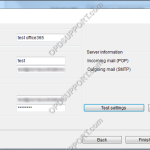
Web Email settings for major email providers
This article details the major web email settings you need to configure to work with ODMS. Office 365 Hotmail/Outlook Gmail Yahoo iCloud Office 365 + – Email Settings Click to collapse POP/SMTP settings Email address: used to log into Office 365 Account name: same as the email address Password: used to login to the […]
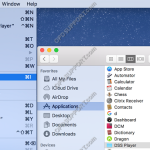
DSS Player for Mac performance and playback issues
If you are running Mac OS X 10.9 Mavericks or above you may experience problems with the performance and playback of the software when using a foot control. Apple introduced a new feature that is available in Mac OS X 10.9 Mavericks or later called App Nap. This puts applications that are not in focus […]
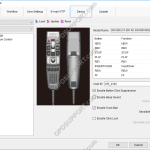
RecMic Configuration Settings in Dictation Module
This article goes through the RecMic Configuration settings in the ODMS Dictation Module. Open the Dictation Module Connect the RecMic Click on Tools and then Options Click on the Device tab Ensure the recorder is recognised by checking the relevant RecMic model is selected and the Model Name field should display the version and serial […]
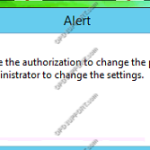
You do not have authorisation to change the profile
When launching the software you get the below warning message. If you click OK to the message the software will open up however you won’t be able to access the options settings to configure the software. The warning message appears when you don’t have modify permissions to the user.xml file in order to make changes. […]
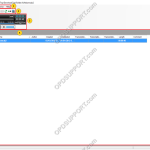
DSS Player Standard GUI Overview
This document will detail the overview of the Graphical User Interface of the Olympus DSS Player Standard Dictation and Transcription Module software and explain what each button and section is for. Dictation Module Transcription Module Dictation Module Overview Contents Drop-down Menus Toolbars Playback Control Panel Dictation Tree Content List View Device Manager Drop-down Menus File […]
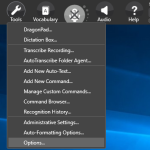
User Profile Maintenance
When putting dictations through background voice recognition you get the prompt for the user profile maintenance asking if you want to save the changes. The prompt can stop the software from continuing the background voice recognition until you select an option to continue. On rare occasions the prompt can appear behind the ODMS software giving […]
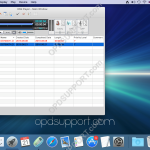
Send dictation via Email – Mac
This article explains how to send a dictation file via email. For this we will be using the default Mail program on a Mac. First open the DSS Player. Then open launch pad and open your Mail program. From the Mail program, click the new email. Go back to the DSS Player program and […]
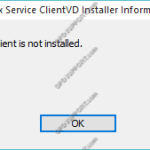
ICA Client is not installed
When installing the Citrix client driver on the client PC you may get the error message “ICA Client is not installed”. Please check the following: The Citrix Receiver/Workspace is installed by checking Programs and Features. If the Citrix Receiver/Workspace is already installed then ensure there are files in the following location C:\Program Files (x86)\Citrix\ICA Client. […]
Using Background Voice Recognition
This article goes through how to use Background Voice Recognition within the ODMS software. Note: You must have a Dragon Profile configured with ODMS for this to work please follow the guide here on configuring the Dragon NaturallySpeaking settings. Background Voice Recognition settings can be configured please follow the guide here. The Background Voice Recognition […]