
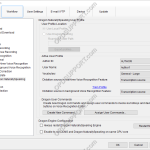
This guide goes through the Dragon NaturallySpeaking setting in the ODMS Dictation and Transcription Module. Note: You must have a trained Dragon profile and have enabled the voice recognition feature in order to configure the ODMS software to use your Dragon Profile. Click here for a guide on how to enable the voice recognition feature. […]
Webmaster
CustomConfig and DefaultConfig files
This article will detail how to create a CustomConfig file and a DefaultConfig file. The Olympus software can be installed using either of the configuration files to ensure that all users will share the same customised settings when they launch the software however, both configuration files are used in different scenarios. Note: The configuration files […]
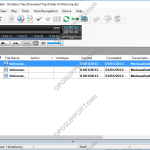
Can’t see Dictation Tree
This article will document how you can reveal the Dictation Tree if it is hidden… + – Can’t see Dictation Tree Click to collapse If the Dictation tree is missing from the left hand side of the software (as image below) please follow the instructions below: Click the arrows shown in the red box below. […]
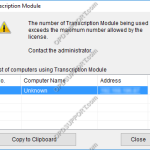
License exceeded maximum number of users
This article will document how to resolve the License exceeded maximum number of users error… If you receive the error: License exceeded maximum number of users, this means that you have reached the maximum amount of users for the license you have. You can have the software installed onto more than the licensed amount of […]
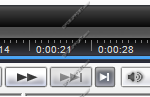
Play Button Greyed Out
If you are unable to play dictations because your play button is greyed out, follow the article below. If you are unable to play dictations check the Playback Control Bar to see if the Play button is greyed out as below. Or if you double click onto the dictation it will show as below. We […]
Dictation folders not syncing
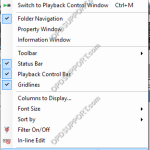
If the software folders are linked to the network location but there is a discrepancy between the users dictation folders then this can lead to transcriptions being duplicated or dictations not being seen. We would recommend to check the following below. + – 1. Folder hasn’t refreshed yet Click to collapse This is due […]
How to Lock Pedals on a Foot Switch
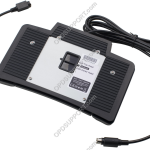
This article will document how you can lock pedals on a RS-31(H) Foot Switch. Lockable Pedals on RS-31(H) Foot Switch You are able to lock either the top or the centre pedal on an RS-31(H) foot switch. On the back of the foot switch there is a lock. Slide up to lock the top pedal […]
Foot control not working
If you are experiencing an issue where you cannot operate any of the pedals on the foot switch, please follow the steps below. Please note that if you mean the play button in the play bar is greyed out and you cannot press play, then follow the Play button Greyed Out guide instead. 1. Check […]
ODMS for Administrators Security Settings
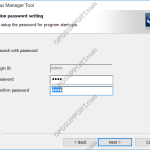
This article will document the security settings within ODMS for Administrators. SCP Admin password When installing the SCP, you will receive the option to set a password to the application. Note the main Admin Login ID can’t be changed. Tick the box “Launch with password”. Enter and confirm the password When you launch the […]
Dictations playing through the wrong speakers
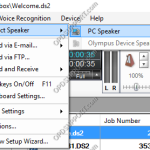
If you are experiencing an issue with dictations playing through the wrong audio output then please follow the below. + – 1. Select Speaker Click to collapse In the Olympus software you have the option to change the speaker output which is independent of what the PC speaker output is selected. Please see below on […]