
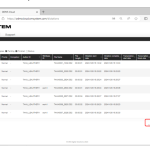
The Dictation File created using the dictation device or the smartphone app <ODMS Cloud for Mobile App> needs to be uploaded to ODMS Cloud and assigned to the Transcriptionist for them to be transcribed into text. This chapter explains uploading the dictation files. 1). File Upload from Desktop App (Author) If the login ID of […]
Webmaster
ODMS CLOUD: How to Configure Workflows
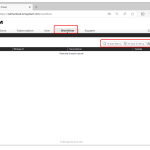
The ODMS Cloud provides a system for efficient dictation workflow. You can specify a Transcriptionist for each author (routing rule settings) or specify a Transcriptionist for each work type (worktype ID settings). Additionally, by registering the template file used for transcription, you can create standard documents. Select the [Workflow] tab and click the button corresponding […]
ODMS CLOUD: Account Registration and Settings for End Users
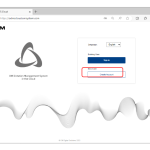
The following section will give a detailed overview of how to register an account and your settings: 1). Registration account for End Users All end users must register their account themselves. Please register from [Create account] on the login screen. 2). How to Select a Dealer After the trial period ends, you will need to […]
ODMS CLOUD: The Smartphone App – How to Upload your audio files to the cloud
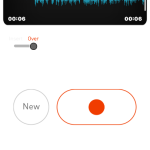
Once the Dictation has been completed, the file can be uploaded to ODMS Cloud to start the transcription work. This chapter explains how to upload files from ODMS Cloud Mobile App. 1). Uploading from Recording View When uploading from the Recording View, you can send the currently displayed file. Click the [File Send Button] and […]
ODMS CLOUD: The Smartphone App – How to Delete an Audio Recording
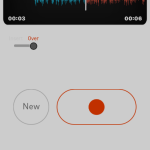
In this section we explain how to delete recorded audio files. 1). Deleting files from Recording View The file deletion operation from Recording View allows you to delete the currently displayed file. Click the [Delete File] button and click [Discard] 2). Deleting all files from List View When deleting files from the List View, you […]
ODMS CLOUD: The Desktop Interface Explained.
The following page will explain the following aspects of the ODMS CLOUD Desktop App interface. 1). Resident Program After the Desktop App is installed, it will be registered as a resident program. The next time you start your PC, it will be automatically resident and an icon will be displayed in the task tray. 2). […]
ODMS CLOUD: Dictation Workflow – How to Configure Routing and Automatic Routing Rules
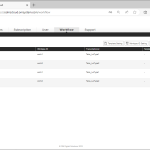
The Dictation File recorded by the Author is automatically assigned to the Transcriptionist according to the set routing rules based on the Author ID recorded in the file. This chapter explains routing settings. Various settings related to routing are performed within the [Workflow] tab. Only administrators are allowed to configure the settings. 1). Configuring routing […]
License Key Guide
Each license key is has 5 Blocks of 4 Alpha Numeric Characters. This article details how to identify the different software versions and variations by the u
Foot Switch Configuration Tool Guide
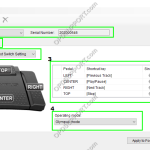
This article will document how to use the foot switch configuration tool The Foot Switch Configuration Tool is used to customize the settings for the RS-28H and RS-31H models. Any combination of keyboard command can be assigned to each pedal, allowing the control of applications through hotkey shortcuts. You can also create setting templates for […]
Quick Start Guide for AS-2400 Transcription Kit
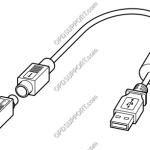
This article goes through the basics of using your Olympus transcription kit. Connecting the Foot Control Connect the foot switch cable to the USB adapter cable. Ensure you align the flat edges of the connector. Connect the USB adapter cable to the PC’s USB port. Place the foot control in a comfortable place under the […]