
This article explains how to clear a corrupt user profile. When loading the Olympus software you may get an error occur saying “The application will be terminated because the user profile is corrupt” then closes. Alternatively the software may not open at all when you double click on the application. This problem occurs when a […]
Webmaster
Font Arial does not support style regular
When trying to load or install the Olympus software, an error occurs saying “Font Arial does not support style regular”. This problem occurs when the PC cannot find the font or the font is corrupt. Resolution Olympus officially cannot provide the Arial font package so we recommend you speak with whomever may manage your IT […]
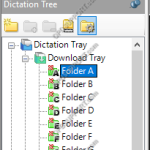
Cannot see dictations – Folders have red crosses
If you are experiencing any issues with dictations not sending over the network share or you can’t see any dictations in tray. You may notice there are red crosses in the software folder as shown below. If you’re the author you may notice the dictations have a home symbol as shown below. The home symbol […]
Operating System Compatibility
This article details what Olympus/OM System products are compatible on certain operating systems. However, OM Digital Solutions can’t guarantee full functionality on operating systems that has reached its end of life by the manufacturer. Note: This article does not specify whether the Olympus/OM System products are officially supported for information on product support status please […]
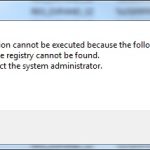
Missing Shell Folder Error
Error when opening the Olympus software saying “The application cannot be executed because the following Shell Folder defined in the registry cannot be found. Please contact the system administrator. Templates”. This problem occurs when there are folders missing or folders are inaccessible, which are referenced through the path(s) set within the registry. Solution: Open the […]
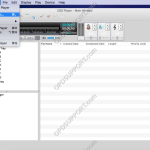
Configure DSS Player for Mac
This guide details how to configure DSS Player for Mac. To access the options menu, click on DSS Player > Preferences. + – General Click to collapse General Tab: Set a password to encrypt downloaded files with. Synchronisation of Date & Time when a device is connected to the mac. Icon size for the […]
Managing User/Group Settings
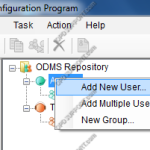
This guide details how to manage your user and group settings within the System Configuration Program. + – Adding a single user Click to collapse Choose either the Author or Transcriptionists group Then right click on the group > New user or click the New User button shown in the image below. Enter the User […]
Managing Repositories
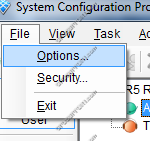
This article will take you through how to add, modify and remove a repository in System Configuration Program. + – Add Repository Click to collapse Note, the SCP can only manage one repository from each software release. Click on “File” > “Options”. In the Repository tab, click “Add”. Enter the Repository Name. Select […]
DSS Player Standard Software Installation Guide
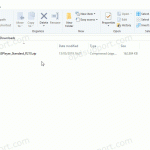
This article details how to install the DSS Player Standard Release 2 software you will have received with a DS-2600/DS-2500 recorder or AS-2400 transcription kit. Download and save the software here Click on Compressed Folder Tools menu and click Extract all Once extracted open the folder, then run the Launcher application Select the language and […]
Folder Mapping (SR2)
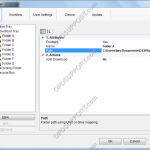
Mapping folders provide a means for an author to send dictations to typists over a network. A shared folder structure is required. Go to Tools > Options. In Folder Design select a folder to redirect and click “…” button to change the path. Then locate the network server and select a folder for the dictations […]