
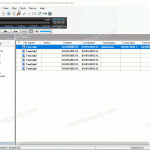
In DSS Player Standard it is possible to control certain features such as playback and direct recording through the use of Hotkeys. Enable/Disable Hotkeys Tools > Hotkeys On/Off Assign a function to a key Tools > Options > User Settings > Keyboard. Click on the command, enter the new key and click Assign. Individual […]
Webmaster
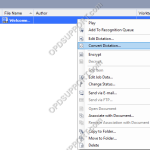
Converting Dictations in ODMS R8/R7
This article goes into detail with how to convert Dictations in the Olympus Dictation Management System ODMS R8/R7. You can convert dictations in ODMS R8/R7 DM/TM to the following file formats: DSS Pro DSS WMA WAV 1. Right click on the dictation you’re looking to convert and choose ‘Convert Dictation’ 2. Select the format you […]
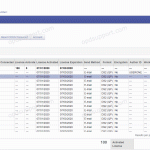
Configuring Email Settings for ODDS in Dictation Portal
This article goes through configuring emails for ODDS in Dictation Portal If you’re looking to add in multiple people when sending a dictation then you can make these changes within the Dictation Portal. Firstly log into the Dictation Portal here. Then select your account and click on View Click on Edit > Email Settings […]
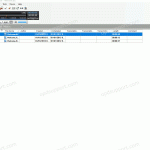
Change Recorder Folder Name
This article goes through how to change your recorder folder name in DSS Player Standard Dictation Module. Connect your recorder Click on Device > Device Settings Click on a folder Click Rename Type a name and press Enter Click OK Click Yes to apply the device settings
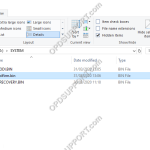
DS-9500, DS-9100, DS-9000, DS2600, DS2700 recorder stuck restarting and preparing firmware update
On rare occasions a firmware update may fail (due to environmental factors), subsequently the DVR can enter into a loop of restarting and preparing the firmware update. Please follow the steps below to fix this issue… Leave the recorder on to drain the battery until its below 50%, this will stop the update process Connect the […]
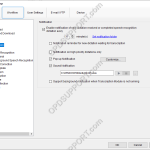
Notification Settings
This article goes through the notification settings found in the ODMS R8/R7 Transcription Module. To access the settings, click on Tools > Options > Workflow > Notification. By default the software is configured to notify you every 10 minutes when there is a new file, which you can change the time interval or disable the […]
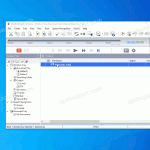
Attach a dictation to an email
This guide details how you are able to send a dictation via email. Find the file you want to send. Click, Drag & Drop it onto your desktop. Click, Drag & Drop it into your email. Send the email.
How to work remotely with Olympus
Whether you need to dictate or type, you can work remotely with Olympus. This article covers the typical use cases for remote working… Still unsure? Please contact us, we are here to help. Free Trial With Olympus, you can use the Free Trial of the ODMS R7 software to make sure you’re up and running with […]
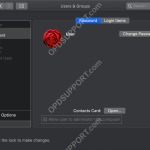
License number is incorrect – Mac Standard User
When installing DSS Player for Mac, you may get the error message “The license number you have entered is incorrect. Please confirm your license number.” If the license is correct and the software version downloaded is compatible with the OS, then the next step to check is whether this user is an administrator by following […]
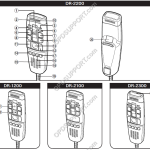
Quick Start Guide for DR-1200/2100/2200/2300
This article goes through the basics of using your DirectRec II/RecMic I Series. Getting Familiar with the Device 1 Built-in microphone 12 RIGHT (Right) button 2 Recording three colour LED (red, green and blue) 13 Trackball 3 Insert Recording LED (green) 14 F1 (Function 1) button 4 Volume down button 15 F2 (Function 2) button […]