
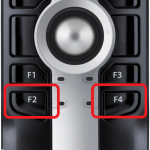
This article contains the different button combinations for the RecMics… DirectRec Compatibility Mode Preset Button Modes Recording Modes Audio Quality Check DirectRec Compatibility Mode The DirectRec Compatibility mode is ideal when using software that does not support the RecMic II range. To change mode, hold down the F2 + F4 buttons for 5 seconds, the […]
Webmaster
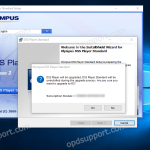
Upgrading to DSS Player Standard Release 2 (SR2)
This article details how to upgrade to DSS Player Standard Release 2 (SR2). Requirements: The previous software version (DSS Player Standard Release 1) needs to be installed and licensed already. Installer for SR2 – Download SR2 here. Installation: Follow the Installation Guide to install the software up until the point you are asked for a license […]
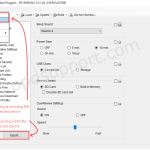
Exporting & Importing .bin Files
This guide will go into detail about how to import and export .bin files for an OM SYSTEM/Olympus Digital Voice Recorder. A .bin file will include user settings for a mobile dictation device (i.e. settings for wireless network, device folders, email profile etc.). This is useful for backing up the device settings before resetting the […]
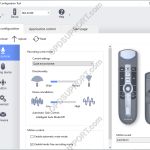
Exporting & Importing Profile RecMic
This article will go into detail with how to export and import profiles from the Olympus RecMic models. User settings for the RecMic are saved as an XML file format which can be imported and exported via the RecMic Configuration Tool. This is ideal for backing up settings and quickly configuring another RecMic with the […]
Keyboard Hotkeys in DSS Player Standard Release 2
In DSS Player Standard it is possible to control certain features such as playback and direct recording through the use of Hotkeys. Enable/Disable Hotkeys Tools > Hotkeys On/Off Assign a function to a key Tools > Options > User Settings > Keyboard. Click on the command, enter the new key and click Assign. Individual […]
Converting Dictations in ODMS R8/R7
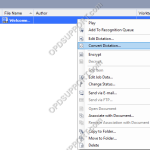
This article goes into detail with how to convert Dictations in the Olympus Dictation Management System ODMS R8/R7. You can convert dictations in ODMS R8/R7 DM/TM to the following file formats: DSS Pro DSS WMA WAV 1. Right click on the dictation you’re looking to convert and choose ‘Convert Dictation’ 2. Select the format you […]
Change Recorder Folder Name
This article goes through how to change your recorder folder name in DSS Player Standard Dictation Module. Connect your recorder Click on Device > Device Settings Click on a folder Click Rename Type a name and press Enter Click OK Click Yes to apply the device settings
DS-9500, DS-9100, DS-9000, DS2600, DS2700 recorder stuck restarting and preparing firmware update
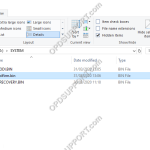
On rare occasions a firmware update may fail (due to environmental factors), subsequently the DVR can enter into a loop of restarting and preparing the firmware update. Please follow the steps below to fix this issue… Leave the recorder on to drain the battery until its below 50%, this will stop the update process Connect the […]
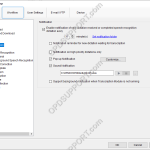
Notification Settings
This article goes through the notification settings found in the ODMS R8/R7 Transcription Module. To access the settings, click on Tools > Options > Workflow > Notification. By default the software is configured to notify you every 10 minutes when there is a new file, which you can change the time interval or disable the […]
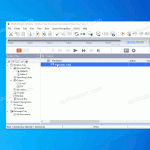
Attach a dictation to an email
This guide details how you are able to send a dictation via email. Find the file you want to send. Click, Drag & Drop it onto your desktop. Click, Drag & Drop it into your email. Send the email.