
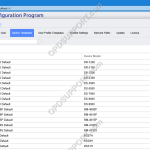
This article goes through how to use the new feature Device Templates in the R7 SCP. Device templates lets you configure all the common device settings for a specified device model. So, when the user connects the device to the PC which has the ODMS R7 workgroup mode or the SCP client installed it will automatically […]
Webmaster
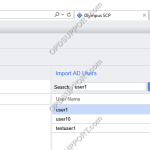
Managing User/Group Settings (ODMS R7)
This guide details how to manage your user and group settings within the System Configuration Program. + – Adding a Single User Click to collapse This section goes through how to add users using Import from Active Directory. You can add users without using Active Directory Import by clicking on the Add button and enter […]
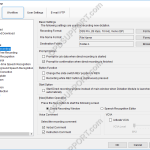
Direct Recording Settings (ODMS R8/R7)
Direct Recording settings can be customised to allow for greater flexibility and functionality. Settings such as the recording format, folder and filename format can all be customised. How to configure Direct Recording Click Tools > Options > Workflow > Direct Recording Recording Format To change the recording format, click Format… Select the recording format […]
ODMS R8/R7 Standalone Installation Guide
This article details how to install the ODMS software you will have received with a DS-9500/DS-9000 or AS-9000. Download and save the latest version of ODMS R8/R7 software here Click on Compressed Folder Tools menu and click Extract all Once extracted open the folder, then run the Launcher application Click on Client Package and select […]
Splitting/Joining Dictations (ODMS R8/R7)
This feature is useful for sending dictations by email when files are too large to send. This feature allows you to split the dictation file into sections, making it easier to send them. The receiver can download, import the files and join them. Splitting dictations To Split dictations select a dictation file then click File […]
Add Worktype IDs to a DS-9500/DS-9100/DS-9000
For this guide, Worktype IDs must have already been added to the Workflow section. See our Worktype IDs article for instructions. To upload Worktype IDs to a device, go to: Tools > Options > Device > Worktype List Select the Device Type and Device from the drop down menus. Click the Update button and select […]
How to use Filters (ODMS R8/R7)
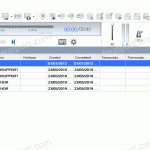
This article will go through how to use the filter feature in ODMS. Filters are useful if you are managing multiple files within a folder as it helps narrow down the list making it easier to see the files you are working on. To switch on the Filter feature click on the View tab at […]
Keyboard Hotkeys in ODMS R7
In ODMS it is possible to control certain features such as playback and direct recording through the use of Hotkeys. Enable/Disable Hotkeys Tools > Hotkeys On/Off Assign a function to a key Tools > Options > User Settings > Keyboard. Click on the command, enter the new key and click Assign. Individual hot-keys can […]
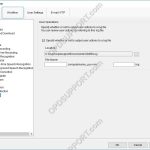
How to use the Logging Function in ODMS R8/R7
The logging function provides a basic output of user actions. Whilst the feature is not a complete workflow-level log. It can provide information such as file movement and changes made to a dictation. To enable logging, follow the instructions below: Tools > Option > Workflow > Logging To output a users actions, tick the Specify […]
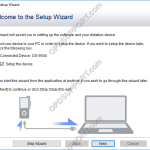
ODMS Setup Wizard
The first start wizard helps a user configure some of the most common features of the ODMS software upon first launch. The setup wizard will launch when the software opens for the first time. Alternatively you can launch the setup wizard by clicking on Tools and click Show Setup Wizard. Dictation Module Transcription Module Dictation […]