
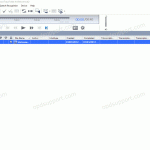
The ODMS software can be configured to use a FTP server for sending or receiving dictations/documents. How to configure an FTP profile Select Tools > Options > E-mail / FTP tab Select FTP from the left pane Select Add… to create a new profile Enter your FTP logon details. These are available from your IT department or your ISP (separate configuration required). Select Test […]
Webmaster
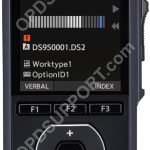
How to send dictations using WiFi
This guide will take you through how to send dictations to a folder or E-mail using WiFi. You must have the following features configured on the recorder before proceeding. Wireless Network E-mail Profile and Recipient E-mail Settings Wireless Download (Folder) Once you have finished creating your recording. Press the F3 button to send. Note: the recorder […]
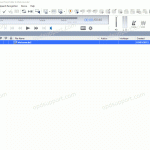
Recipient Email Settings on DS-9500
This article goes through registering a Delivery Address with an Email profile on the DS-9500. Note: You must configure an Email Profile first before proceeding. Open the Dictation Module Connect the DS-9500 recorder. Click on Tools then click on Options and click on Device. Note: Device option will not appear if the recorder isn’t connected. […]
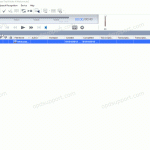
Configuring Author IDs (ODMS R8/R7)
This guide goes through how to configure Author IDs which helps users to easily identify who created the dictation. Please follow the steps to add an Author ID. Open the Dictation Module Go to Tools > Options > Workflow Click Author Click Add Enter the Author ID and click OK If you want to […]
Register Author ID(s) to a DS-9500/DS-9100/DS-9000
This guide goes through how to register Author ID’s to a mobile recorder this helps user identify the recordings. The Author ID(s) must have already been added in the Dictation Module please see the article Configuring Author IDs before proceeding. Open the Dictation Module Connect the DS-9500/DS-9100/DS-9000 recorder. Click on Tools then click on Options and […]
Email Profile Setting on DS-9500
This article goes through the Email Profile setting on the DS-9500 recorder so you can send dictations via Email. This assumes you already have configured your DS-9500 recorder with a WiFi network if not then please follow the guide Configuring the DS-9500 to use a WiFi network before proceeding. Open the Dictation Module Connect the DS-9500 recorder. […]
Configuring the DS-9500 to use a WiFi network
This section goes through configuring the recorder to connect to your wireless network using the Dictation Module. Open the Dictation Module Connect the DS-9500 recorder Click on Tools then click on Options and click on Device. Note: Device setting will not appear if the recorder isn’t connected. In the left column click on Wireless Network […]
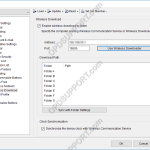
Wireless Download Settings
This guide goes through Wireless Download settings, so you can configure the recorder to use with Wireless Downloader or Wireless Communication Service to download dictations via WiFi. This assumes you have already configured your DS-9500 recorder with a WiFi network, if not then please follow the guide Configuring the DS-9500 to use a WiFi. If you […]
Wireless Communication Service Settings
This guide goes through the Wireless Communication Service settings. This software is mainly installed on a PC or server that is constantly available to allow multiple users send dictations via WiFi in the environment. The Wireless Communication Service setup can be found with the ODMS R7 package here or can be downloaded separately here. Please ensure […]
RM-4015P – Format internal memory
If you need to format the memory on a RM-4015P please use the steps below. Note: Formatting the memory will clear all the files on the recorder. Disconnect the RM-4015P from any laptop,PC or MAC. Press and hold the following buttons. NEW and F3. With the NEW and F3 buttons press […]