
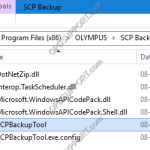
This guide goes through how to use the SCP Backup/Restore Tool. Note: If you haven’t installed the SCP Backup/Restore Tool then please follow the guide here. To open the tool browse to the location C:Program File(x86)OlympusSCP Backup and double click SCPBackupTool. + – Backup Click to collapse In the Backup menu you can do the […]
Webmaster
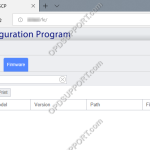
Deploying firmware updates via the SCP
This article goes through how to deploy the firmware updates via the SCP. Note: It is possible to deploy the firmware updates via WiFi to the DS-9500 to do this, you must have the Wireless Communication Service installed and configured for device management please click here for more details. First register the firmware update in the […]
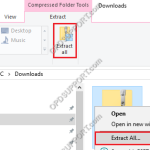
How to download and extract a ZIP file
How to download and extract the contents of a ZIP file… Locate our download from our Downloads section, click “Download“. If you receive a prompt to Save or Open the file, please click “Save“. Once the file has downloaded, go to the Downloads folder within File Explorer. Click on the zip folder to select it […]
How to add multiple recipient email addresses via the OD App
Find out how to add and select different email addresses within the Olympus Dictation app… 1. Press the Settings button 2. Tap the Server Settings field 3. Select Recipients 4. Press the “+” icon. 5. Enter the additional email address and press Done. 6. Select the new email address and Press Server […]
How to use the SCP Migration Tool
This article goes through how to use the SCP Migration Tool to allow you to manage the ODMS R6 users in the R7 SCP, so they can continue using the ODMS R6 software or switch the R6 user profiles over to R7 user profiles. If you want the users to continue using the R6 software […]
Configure Rev Skip on DS-9500/DS-9100/DS-9000
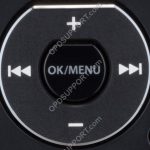
This guide goes through how to configure the Rev skip function on the DS-9500/DS-9100/DS-9000. The below image is what you will use to navigate the menu Press “OK/Menu” to open the Menu. Press “-” to navigate to the Device Menu and press “OK/Menu”. Press “–” to scroll down to Rev skip and press “OK/Menu”. Select the […]
RecMic Configuration Settings in Dictation Module (ODMS R8/R7)
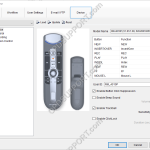
This article goes through the RecMic II Configuration settings in the ODMS R8/R7 Dictation Module. Open the Dictation Module Connect the Rec Mic Click on Tools and then Options Click on the Device tab Ensure the recorder is recognised by checking the relevant RecMic II model is selected and the Model Name field should display […]
Using Network Paths in SCP
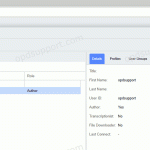
This article goes through how to use the new feature Network Paths in SCP. Changing a folder location for a group or user has now changed in the R7 SCP. You must first register the folder location before you can assign the location. To register a Network Path. Click on System menu. On the left […]
Using Worktypes in SCP
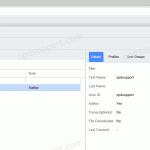
This article goes through how to use the improved Worktypes feature in SCP. Adding Worktypes to a group or user has now changed in the R7 SCP. You must first register the Worktypes before you can assign it. To register Worktypes. Click on Workflow Menu. Select Worktypes. Click Add. Enter a name for the Worktype. […]
Using User Profile Templates in the SCP
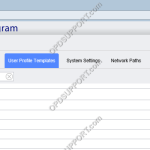
This article goes through how to use the new feature User Profile Templates in the R7 SCP. User Profiles templates lets you configure all the common user settings for R7 and R6. If the users aren’t assigned to a group, they will be provided with pre-configured user settings when the user opens the ODMS R7 […]