
List of Dragon commands that are available to do in ODMS real-time speech recognition and background speech recognition. Category Command Realtime SR Background SR Real-time Speech Recognition Window Play that back Click [Button] Next Field Previous Field Clear Field Delimiters Add Lines and Spaces New Line New Paragraph Press […]
Webmaster
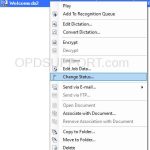
How to change the file status of an audio file
This article goes through how to change the file status in ODMS. You may, under certain circumstances, need to change the status of a dictation manually. To change the status of a dictation follow these steps: In the Dictation Module or Transcription Module, right click the dictation you would like to change the status and […]
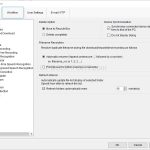
General Workflow Options
This guide contains some basic workflow options to modify how ODMS behaves. To access this window click on Tools > Options > Workflow > General Delete Option By default any files deleted in the Olympus software will move to the Recycle Box folder, where the files can be restored. Alternatively the software can be set […]
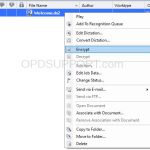
Encrypt and Decrypt a file on ODMS R7
This article goes through how to manually encrypt and decrypt a file in the software. If you are looking to automatically encrypt the files on the recorder please follow the Device Security guide. If you are looking to automatically encrypt or decrypt the file upon download please follow the Configuring Folder Encryption and Decryption guide. […]
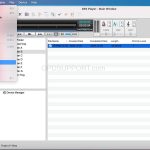
Encrypt and Decrypt a file on DSS Player for Mac
This article goes through how to manually encrypt and decrypt a file in the software. If you are looking to automatically encrypt the files on the recorder please follow the Device Security guide. To encrypt a file, Click the File menu and click Encrypt Set the DSSPro Encryption Format and enter a password, then click […]
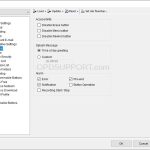
Administrative General Settings
This guide goes through the Administrative General settings for the DS-9500/9100/9000 recorder. To access this setting you need either the Dictation Module or the Device Customisation Program installed, and have the DS-9500/9100/9000 connected, then click on Device menu > Device Settings > Administrative Settings > General Accessibility You can disable Erase, Menu and Rewind buttons […]
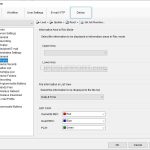
Administrative Display Settings
This guide goes through the Administrative Display settings for the DS-9500/DS-9100/DS-9000 recorder To access this setting you need either the Dictation Module or the Device Customisation Program installed, and have the DS-9500/DS-9100/DS-9000 connected, then click on Device menu > Device Settings > Administrative Settings > Display Information Area Rec Mode You can add Author, Worktypes […]
Where are the Olympus software settings stored?
This article goes through where you can find the Olympus software settings for each version and install mode. ODMS R7 ODMS R6 DSS Player Standard ODMS R7 + – Standalone Click to collapse ODMS standalone gives you two options of selecting how the user settings are saved. Individual User Settings ODMS stores the settings in […]
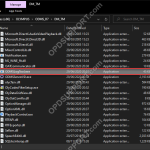
Using the Logging Tool
This guide will explain how to use the Logging Tool within the Olympus software. How to use the Logging Tool: Open the logging tool. If opening via the software (only available in ODMS R7) navigate to ‘Help > Launch Logging Tool’ If opening via file explorer, navigate to either of the following paths: “C:Program Files […]
How to change the Port Number for the SCP
To change the port number for the R7 Web SCP, please follow the steps below: Stop the oac_http and oac_maria services Browse to C:\SCP\apache-2.4\conf\extra Open oac-defines.conf in Notepad (you may want to take a copy of this beforehand) Replace the existing port number and save the file Restart the services You should now be able […]