
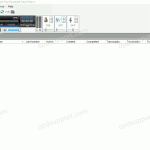
This article details how to import a dictation into the ODMS & DSS Player Standard software.NOTE: The software shown in images is DSS Player Standard. Files can be imported in to the software, if they are received via email or saved in a different location on the PC. Open the email with the attached dictation […]
Webmaster
DSS Player for Mac Install Guide
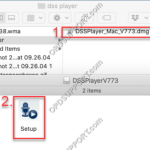
This guide details how to install DSS Player for Mac. Once the file has downloaded, open the “DSS Player for Mac v7.*.* Full” folder, open the .DMG file. Open the Setup file to start the installation wizard. You will next be presented with a brief introduction – Click Continue. This will then show important information […]
Registering a Volume License
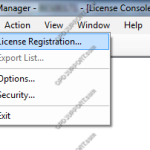
This guide will take you through how to register your volume license key in the License Manager. For details on how to obtain or upgrade your volume license key please visit the licensing page here Click on File and select License Registration Enter your volume license keys found in the OVLID**** certificate.pdf and click OK […]
Email Setup
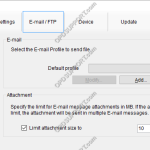
ODMS supports a number of email methods including POP, IMAP and Outlook (32-bit). This document will detail how to set up each type of email profile for use within the Olympus software. Contents How to create a POP Email profile How to create an IMAP Email profile How to create an Outlook Email profile […]
Hardware Compatibility Matrix
This article will help identify which hardware is compatible with OM SYSTEM/Olympus. Note: This article does not specify whether the OM SYSTEM/Olympus products are officially supported. For information on the product support status please refer to Product Support Matrix. For information on software and hardware operating system compatibility please click here. Key = Compatible = Not […]
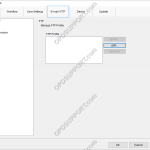
FTP Setup
The ODMS software can be configured to send via FTP. How to configure an FTP profile Select Tools > Options > E-mail / FTP tab Select FTP from the left pane Select Add… to create a new profile Enter your FTP logon details. These are available from your IT department or your ISP (separate configuration required). Select Test Settings to ensure all your setting are […]
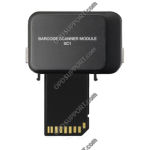
How to configure SC1 Barcode Module
The SC1 is a Plug-in module for DS-5000 / 5000iD / DS-5500 / RecMic DR-2300 and connects via the units SDHC card slot. The scanner allows data capture of option item values such as case number or patient number into the DSS audio file. Compatible Barcode Formats:EAN-8, EAN-13, EAN-128, UPC-A, UPC-E, Code39, Code93, Code128, Codabar, […]
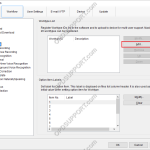
Worktype IDs
Worktypes are used to assign information to a Dictation. It is primarily used to categorise a dictation based on the subject matter of the recording. Go to Tools > Options… > Workflow Click Worktypes Then click Add Enter the Worktype ID. Click OK to create the Worktype. The Worktype will appear in the […]
Creating an Instruction Comment
An instruction comment is maintained as a file separate from the main dictation file and provides the Typist with special instructions specified by the Author. An instruction comment can only be created with the Direct Recording function. To create an instructional comment follow the steps below: In the Dictation Module, click File > New Dictation… […]
Product Support Matrix
This article details the support status of the professional and business range products. NOTE: The “Support Status” of all products are subject to change. *Devices/microphones/foot controls requires supported software. Professional Range Software Product Release Date End of Support Date Support Status ODMS Cloud April 2024 TBA ODMS R8 April 2024 TBA ODMS R7 April 2018 […]